Why this exists
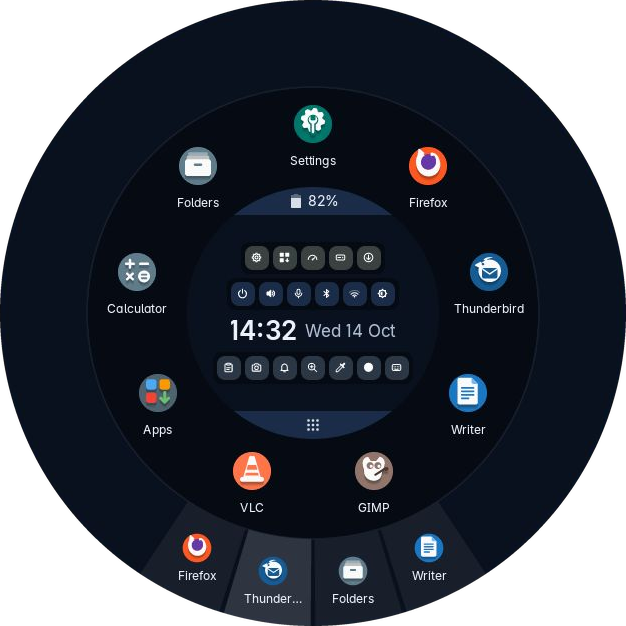
Desktops have grown a bar at the top, a dock at the bottom, a tray in one corner and a search box that wants the keyboard. Trindle puts all of it in one circle that is not there until you ask for it.
It is in beta testing now. It is still new to other people’s computers, and it keeps changing.
In short
One program, not a pile of them
The ring, Settings, Apps, Screenshot, Activity, Drives, the login screen, the lock screen and the Trindle Installer are all the same Rust binary. Nearly every trindle- command is a symbolic link to it, and the program picks its tool by the name it was started as. trindle --names lists them. The spots in the top corners that a finger taps to open the ring, and the box that asks for your password, go a step further and run inside the ring itself, rather than as two programs of their own, each with its own copy of the toolkit.
The compositor, which puts every window on the screen, is Trindle’s own too. It is called trindle-compose, it is written in Rust on Smithay, and it is kept as a program of its own, so the rest of Trindle never loads what drawing the screen directly needs. It runs the login screen as well as the desktop. For programs that ask the desktop to draw their title bar, it draws the title bar itself, with three buttons at the right: a line to put the window away, a square to fill the screen and a cross to close it.
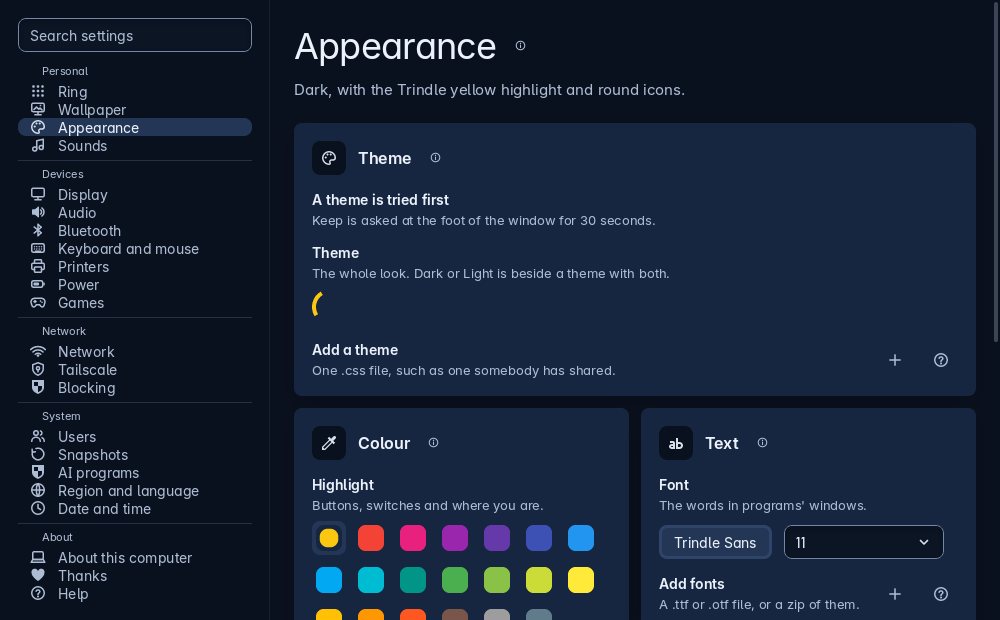
That is not a clever trick for its own sake. It means one set of colours, one stylesheet, one place a bug gets fixed, and one thing to keep up to date. A new Settings page is one file in a folder plus one line in that folder's list.
Only trindle-admin runs as root, through pkexec. It checks every argument it is given and reads passwords from standard input only, so the rest of the desktop never needs to be trusted with them.
What it is built on
Debian stable underneath, with apt and Flatpak behaving exactly as they do anywhere else. PipeWire for sound, NetworkManager, BlueZ, CUPS, snapper. Trindle’s own windows are drawn by the Trindle Toolkit, its own Rust drawing library, and its compositor is built on Smithay, the Rust toolkit for compositors.
What it deliberately is not
There is no X11 session and no GNOME session, and Trindle’s own windows use neither GTK nor Qt. Xwayland is installed for older programs written for X11, and Trindle’s compositor starts it with the desktop, never at the login screen. Nothing is installed with recommended extras, and every package is listed in the README.
Ordinary underneath
Underneath the desktop are standard parts. The snapshots are snapper’s, the sound is PipeWire, the apps come from Flathub as Flatpaks, as AppImages or from Debian, and your settings are plain files in your home folder.
Things worth saying plainly
The parts that a features list would leave out.
It is new
Trindle is built on Debian stable, which is 13 at the time of writing, and has been tested on a small number of machines.
Things move between versions. There is no support desk: bugs and questions go to distro@trindle.org.
No warranty, and no tracking
Trindle is provided as is, with no warranty of any kind, and you use it entirely at your own risk. Sections 15 and 16 of the licence say so in the usual words, and Help, in Settings, says the same.
Trindle has no account and no telemetry. This site sets no cookies and counts no visitors.
Thanks
Trindle is built on other people's work. Settings, Thanks lists every project it is built on, with a link to each one's home and a heart beside those that accept donations, and so does the Thanks page here. A few of them:
Free software, and meant to stay that way
Trindle is under the GNU General Public License, version 3 or later. You may use it, read it, change it and pass it on, and anything you pass on carries the same freedom with it.
The source repository is private until the first release, and holds this website and the script that builds the installation image. Bug reports are welcome, and so is someone telling us a screen is confusing, which is harder to find out than a crash. Trindle is built to one specification, so pull requests are not the usual way in: describe your fix or idea in a report instead. Forking it is welcome.